How to Use CV in Reason: Complete Guide to CV Routing

CV is one of Reason's most powerful — and most misunderstood — features. Once you understand how CV routing works, you gain access to a level of synthesis and sound design that most DAWs simply can't replicate. It's the closest thing to a modular synth in software form, and it's one of the main reasons serious producers stick with Reason.
In this guide you'll learn exactly what CV is, how CV routing works in Reason, the difference between CV and Gate signals, and how to use CV creatively in your productions.
🎁 Download this free Reason cheatsheet — a quick reference for all of Reason's instruments, effects, and devices at a glance.
If you prefer to learn by watching, I've put together two video tutorials below. The written guide follows if you want the deeper explanation.
What Is CV in Reason?
CV stands for Control Voltage — a term from analog hardware synthesis. On hardware modular synths (like the Moog or Eurorack systems), musicians physically connect cables between modules to route control signals. One module's output voltage controls a parameter on another module. Patch an LFO to a filter cutoff, and the filter sweeps automatically. Patch an envelope to pitch, and the pitch rises and falls with each note.
Reason pioneered the use of CV in the digital software world. Rather than actual voltage, Reason uses virtual CV cables — but the concept is identical. The power this gives you is enormous: you can route almost any signal from any device to control almost any parameter on any other device.

DeadMau5 patching CV on his modular synth — the same concept Reason brings into software.
The key distinction from automation: automation is something you draw or record once, while CV routing runs continuously in real time, driven by the device you've patched as the source. This makes CV ideal for evolving, generative sounds that change in ways that feel alive rather than programmed.
How to Access CV in Reason (The Back of the Rack)
CV inputs and outputs live on the back of each device in Reason's rack. To see them, press Tab on your keyboard — this flips the rack around to show all the cable connections.
On the back of any synthesizer (Subtractor, Malström, Thor, etc.), you'll see rows of inputs and outputs. These fall into two categories:
- Audio outputs and inputs — the sound signal
- CV inputs and outputs — control signals that modulate parameters
To create a CV connection, click and drag from an output socket on one device to an input socket on another. Reason will draw a virtual cable connecting them. The color of the cable indicates the signal type.
CV vs Gate: What's the Difference?
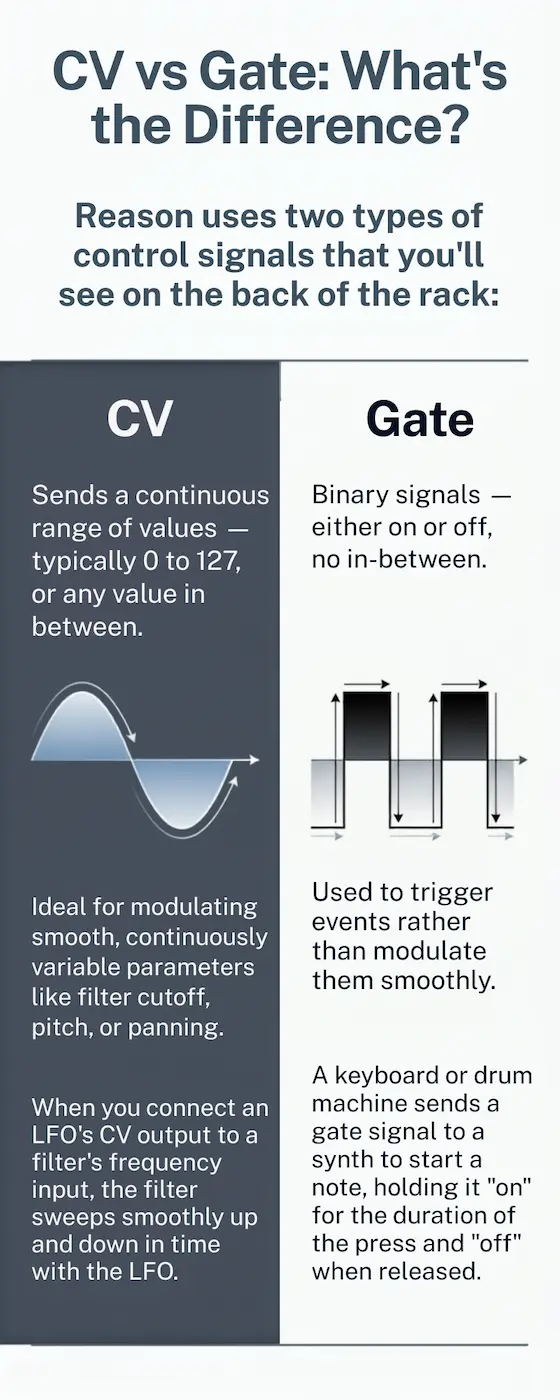
Reason uses two types of control signals that you'll see on the back of the rack:
CV (Control Voltage) sends a continuous range of values — typically 0 to 127, or any value in between. This makes it ideal for modulating smooth, continuously variable parameters like filter cutoff, pitch, or panning. When you connect an LFO's CV output to a filter's frequency input, the filter sweeps smoothly up and down in time with the LFO.
Gate signals are binary — they are either on or off. There's no in-between. Gates are used to trigger events rather than modulate them smoothly. Gates are used in:
- Kong and ReDrum — to trigger individual drum hits. The longer the gate stays open, the longer the note is held.
- Envelope triggers — to tell an ADSR envelope when to start
- Sample players — to trigger one-shot samples
Think of CV as a dimmer switch and Gate as a light switch. CV controls how much; Gate controls when.
Common CV Routing Use Cases
Here are the most useful CV patches you should know:
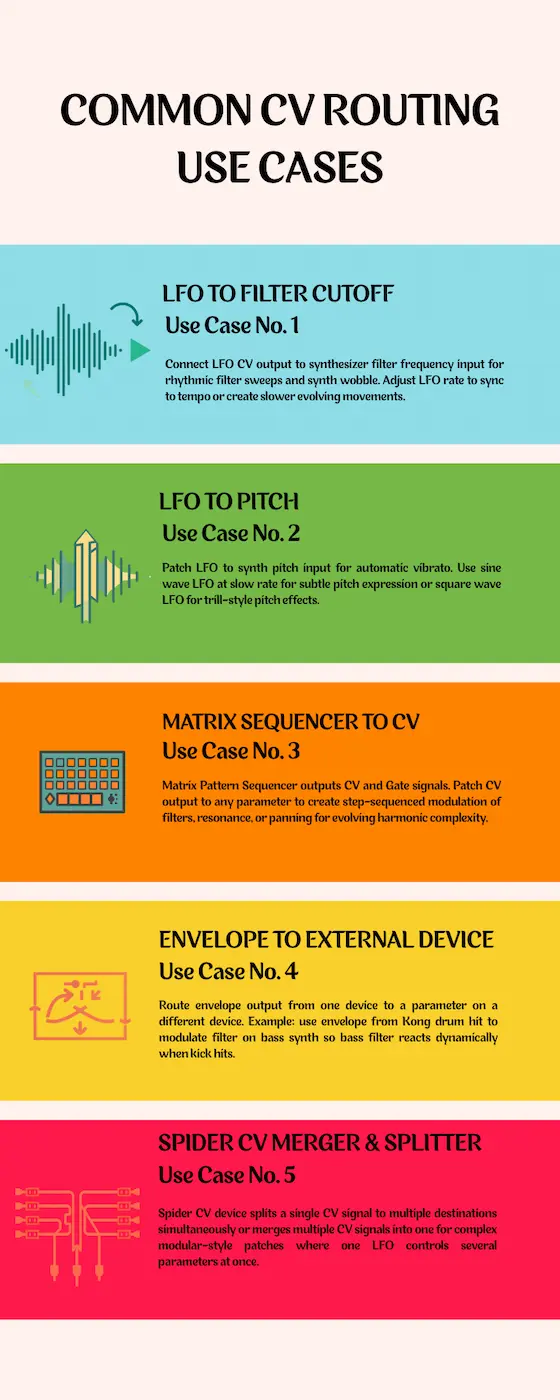
LFO to Filter Cutoff
The classic. Connect an LFO's CV output to a synthesizer's filter frequency input. The filter sweeps open and closed rhythmically, creating that characteristic synth wobble. Adjust the LFO rate to sync to tempo or create slower, evolving filter movements.
LFO to Pitch
Patch an LFO to a synth's pitch input for automatic vibrato. Use a sine wave LFO at a slow rate for subtle pitch expression, or a square wave LFO for trill-style pitch effects.
Matrix Sequencer to CV
Reason's Matrix Pattern Sequencer outputs CV and Gate signals. Patch its CV output to any parameter — not just pitch — to create step-sequenced modulation of filters, resonance, or panning. This is how you build patterns that evolve with harmonic complexity.
Envelope to External Device
Take the envelope output from one device and route it to a parameter on a completely different device. For example, use the envelope from a drum hit in Kong to modulate the filter on a bass synth — so the bass filter reacts dynamically every time the kick hits.
Spider CV Merger & Splitter
Reason's Spider CV device lets you split a single CV signal and send it to multiple destinations simultaneously, or merge multiple CV signals into one. This is how you build complex modular-style patches where one LFO controls several parameters at once.
CV Routing vs Automation: When to Use Which
New Reason users often wonder when to use CV routing vs drawing automation in the sequencer. Here's the practical difference:
Use CV when: you want a parameter to modulate continuously and rhythmically based on a pattern (LFO sweep, sequencer pattern, envelope following). CV is set-and-forget — it runs every time the device is active.
Use automation when: you want a specific, fixed change at a specific point in your arrangement — like opening a filter at bar 32, or changing a reverb send level at the chorus. Automation is for intentional, one-time events you've planned out.
The most powerful productions use both: CV for ongoing modulation texture, automation for structural arrangement decisions.
Tips for Getting the Most Out of CV in Reason
- Start simple. Patch one LFO to one filter and understand what's happening before building complex chains.
- Use the CV Trim knob. Most CV input sockets have a small trim knob next to them. This controls how much the CV signal affects the parameter — it's your depth control.
- Experiment with inversion. Many CV inputs have an invert option. Inverting the signal flips the modulation — what was opening now closes, and vice versa.
- Combine CV sources. Use a Spider CV Merger to combine an LFO and an envelope into the same filter input for modulation that's both rhythmic and velocity-responsive.
- Press Tab often. The back of the rack is where all the magic happens. Keep flipping between front and back as you patch to understand what's connected to what.
CV in Reason: FAQ
What does CV stand for in Reason?
CV stands for Control Voltage — a signal that modulates parameters on devices in Reason's rack. It comes from analog hardware synthesis, where physical voltage was used to control modules. Reason virtualizes this concept in software.
How do I see CV inputs and outputs in Reason?
Press Tab to flip the rack to the back. All CV and Gate inputs and outputs are visible on the rear panel of each device. Drag from an output socket to an input socket to create a connection.
What is the difference between CV and Gate in Reason?
CV sends a continuous range of values (0–127) for smooth modulation of parameters like filter cutoff or pitch. Gate is binary — on or off — and is used to trigger events like drum hits or envelope attacks.
Can I route CV to any parameter in Reason?
You can route CV to any parameter that has a CV input socket on the back of the device. Not every parameter is exposed as a CV input, but the most useful ones (filter, pitch, amplitude, pan) typically are.
What is the Spider CV used for?
The Spider CV Merger & Splitter lets you split one CV signal to multiple destinations, or merge multiple CV signals into one. It's essential for building complex, modular-style patches.
How is CV routing different from automation in Reason?
CV routing modulates parameters continuously and automatically based on a device's output. Automation is a fixed, pre-programmed change at a specific point in your arrangement. Both are useful and work best together.
Learn More About Reason
If you want to go deeper into Reason's unique features, these guides will help:
- The Ultimate Reason DAW Learning Page
- Reason 14 Review: Did Reason Get Its Mojo Back?
- 10 Best Free Reason Rack Extensions
- How to Use Send FX in Reason (The Right Way)
- How to Use Reason's Drum Sequencer
- The Ultimate Guide to Reason's Mimic Creative Sampler
Free 5-Day Course
Want to Make Money from Your Reason Productions?
The free Music Licensing Crash Course shows you how to turn your Reason sessions into passive income — which platforms to use, what sells, and how to build a catalog that earns while you sleep.
Start the Free Course →No spam. Unsubscribe any time.
From a Frustrated Producer in a Ragtag Bedroom Studio to Major Placements on TV Earning $1,000s!
My name is Evan, and I've been making music since around 3rd grade. I'm from San Diego, California, but I've lived in Washington, DC for the last 20 years.
While I still have a full-time day job, I have created systems that have allowed me to produce dozens of songs a year in my spare time.
My songs have been on Netflix, TV shows like the 90 Day Fiance, an award-winning indie film, and NPR’s “All Thing Considered.” They've also been streamed millions of times.
In addition to being a music producer, I am passionate about teaching people how they can make professional-sounding music and earn money licensing it, all in their spare time.
Thousands of musicians, like yourself, have trusted me to guide their musical journey. My YouTube videos have been watched nearly a million times. And my story has been in Forbes, Side Hustle Nation, and the Side Hustle School.


EQ is the most essential tool you have for making music sound clean, clear, and professional. In this book you'll learn how to use the R.O.S.E. System, a simple 4-step EQ formula to help you master the world of EQ
