Best AutoTune Plugins for GarageBand (2026)
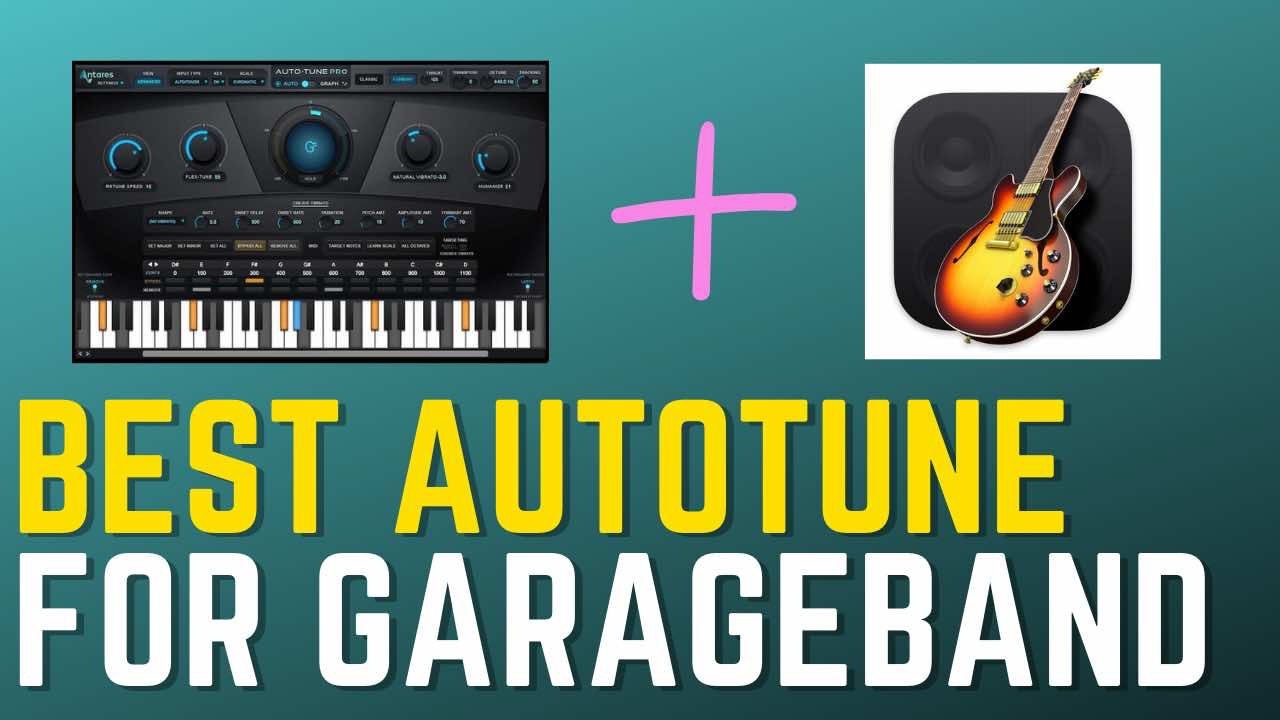
If you're mixing in GarageBand and you want to tighten up your vocal tracks, you need a quality pitch correction plugin. In modern music, auto-tune isn't just for T-Pain effects — it's an invisible polish tool used on virtually every major release, whether you can hear it or not.
GarageBand comes free with every Mac and is surprisingly capable, but its built-in pitch correction is limited. These seven plugins give you the full range — from subtle, transparent correction to hard-locked robotic effects — all as Audio Unit (AU) plugins that install directly into GarageBand.
Note: This article may contain affiliate links, meaning I would receive a commission - at no cost to you - for any products you purchase.
GarageBand's Built-In Pitch Correction: Good Enough?
GarageBand includes a built-in pitch correction tool — no plugin install required. To access it, open your audio track, record your vocal takes, then select the track and open the Smart Controls panel (press B). The "Track" tab will show a Pitch Correction slider.
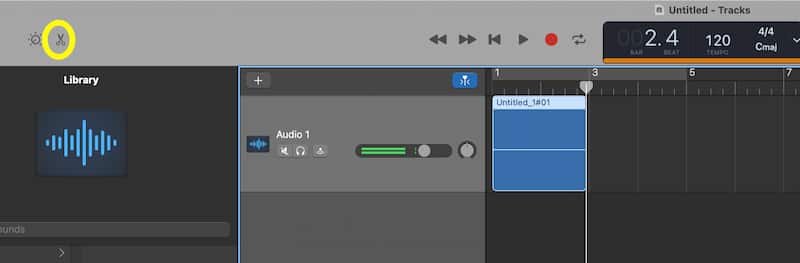
The limitations are significant: no retune speed control (you can't dial in transparent correction vs. the T-Pain effect), no graph editing, no MIDI input, and no bypass for individual notes. It works fine for subtle correction on a well-performed take, but for anything creative or precise, you need a dedicated plugin.
The 7 Best AutoTune Plugins for GarageBand
| Plugin | Best For | Rating | Price |
| Antares Auto-Tune Pro X | Best overall | ⭐⭐⭐⭐⭐ | Check price |
| iZotope Nectar 4 | Best all-in-one vocal suite | ⭐⭐⭐⭐ | Check price |
| Melodyne | Best for surgical editing | ⭐⭐⭐⭐ | Check price |
| Waves Tune Realtime | Best for fast workflows | ⭐⭐⭐⭐ | Check price |
| Revoice Pro 5 | Best for stacked vocals | ⭐⭐⭐⭐ | Check price |
| Antares Auto-Tune Artist | Best mid-range Antares | ⭐⭐⭐⭐ | Check price |
| Graillon 2 | Best free option | ⭐⭐⭐ | Free |
1. Antares Auto-Tune Pro 11 — Best Overall
Antares invented pitch correction in 1997, and Auto-Tune Pro 11 is still the industry benchmark. It runs in two modes: Auto Mode (real-time correction during playback and recording) and Graph Mode (manual, note-by-note editing after recording). For GarageBand users, this is the closest you'll get to a professional studio vocal chain in a single plugin.
Key features include retune speed control (the most important dial — it determines whether the effect sounds natural or robotic), formant correction to prevent the chipmunk effect when shifting pitch, vibrato tools, MIDI-driven pitch snapping, and full Apple Silicon optimization. The plugin is subscription-based at around $20/month or $200/year.

Best for: Producers who want complete control — from invisible correction to hard-tuned vocal effects. If you're doing any serious vocal production in GarageBand, this is the one to get.
2. iZotope Nectar 4 — Best All-in-One Vocal Suite
iZotope Nectar 4 is a complete vocal production suite in a single plugin. It includes pitch correction, automatic gain leveling, dynamic EQ, de-esser, compression, saturation, reverb, and harmony generation — with an AI-assisted workflow that listens to your track and suggests settings.
For GarageBand users who want to spend less time tweaking and more time creating, Nectar 4 is compelling. Load it on your vocal track, use the "Assist" feature to generate a starting point, then dial in from there. The pitch correction module alone is excellent, but the real value is having the entire vocal chain in one window.
Best for: Beginners who want great-sounding vocals fast, and producers who prefer an all-in-one approach over building a signal chain plugin by plugin.
3. Melodyne — Best for Surgical Pitch Editing
Celemony Melodyne uses a graphical blob-editing interface where every note in your performance appears as a visual object you can move, stretch, and adjust by hand. Unlike Auto-Mode tools, Melodyne processes audio after recording rather than in real time — which means zero latency during tracking and far more precision in editing.
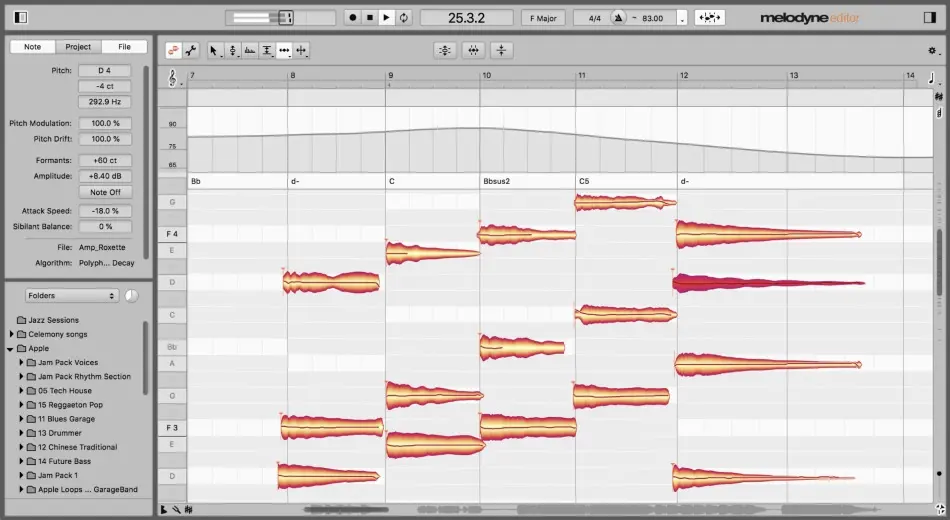
In GarageBand, Melodyne integrates via its ARA (Audio Random Access) extension, letting you open it directly on any audio track and edit without leaving your session. The DNA (Direct Note Access) feature in Melodyne 5 can even isolate and edit individual notes inside a chord, something no other pitch plugin can do.
Best for: Fixing a great performance that has a few off notes. If you want the cleanest, most natural-sounding correction possible, Melodyne is the studio standard.
4. Waves Tune Realtime — Best for Fast Workflows
Waves Tune Realtime is a lightweight, CPU-efficient pitch correction plugin with a graphical display similar to Melodyne but at a fraction of the price. It runs in real time and shows incoming pitch visually — helpful for coaching a singer or catching pitch issues during a session. Easy on CPU, works well in dense GarageBand projects.
Waves frequently runs 60-80% off sales, so you can often find this plugin for $20-29. Read the full Waves Tune Realtime review here.
Best for: Budget-conscious producers who want a capable, fast plugin without a large upfront cost. Watch for Waves sales.
5. Revoice Pro 5 — Best for Stacked Vocals and Doubles
Revoice Pro 5 handles pitch correction, but its real strength is pitch and timing alignment across multiple vocal tracks. Record a lead vocal and several doubles, load them into Revoice, and it automatically matches the timing and pitch of every double to the lead — in seconds. The result is a tight, professional-sounding vocal stack that would otherwise take hours to edit manually.
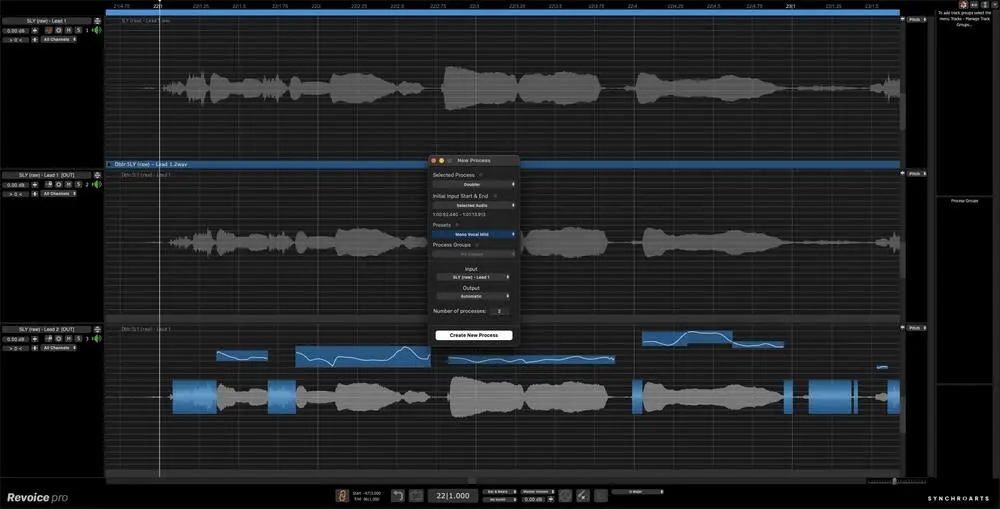
Best for: Producers working with layered vocal arrangements and harmonies. If you build thick vocal stacks in GarageBand, Revoice Pro saves significant time.
6. Antares Auto-Tune Artist — Best Mid-Range Antares Option
If Auto-Tune Pro X feels like overkill or is too expensive, Auto-Tune Artist gives you the core Auto-Tune engine at a lower price. It includes Auto Mode with retune speed control, formant correction, and key/scale settings — everything you need for both transparent correction and the T-Pain effect. What it drops compared to Pro X: Graph Mode (manual note editing) and some advanced vibrato tools.
Best for: Vocalists and producers who primarily use Auto Mode and don't need surgical graph editing. A solid mid-range choice.
7. Graillon 2 — Best Free AutoTune Plugin for GarageBand
Graillon 2 by Auburn Sounds is the best free pitch correction plugin for GarageBand. The free version includes pitch snap, pitch shift, and a high-pass filter. Set the key and scale, dial in the Pitch Snap amount (100% for robotic, 20-40% for subtle), and you're done. For a free AU-compatible plugin, it's genuinely effective.
Best for: Anyone who wants to try pitch correction before committing to a paid plugin, or producers on a tight budget.
Auto Mode vs. Graph Mode: Which Should You Use?
Auto Mode processes audio in real time as it plays. You set the key, scale, and retune speed, and the plugin continuously corrects pitch as it comes in. Use this during tracking (so you can monitor pitch-corrected vocals through headphones while recording) and for creative T-Pain/Cher style effects. Faster retune speed = more obvious, robotic sound.
Graph Mode (called different things in different plugins — "Note Editor" in Antares, graphical blobs in Melodyne and Waves) shows a visual map of your recording after the fact. You can see each note, move it up or down to correct pitch, adjust vibrato, and make surgical fixes without touching the rest of the performance.
Many producers use both: Auto Mode during tracking to catch big pitch issues, then Graph Mode in the mix for final cleanup. If you only have time to learn one, start with Auto Mode — it's faster to set up and handles 80% of typical vocal correction needs.
How To Install AutoTune Plugins in GarageBand
GarageBand uses the Audio Units (AU) plugin format — the Mac-native standard. All the plugins on this list offer AU versions.
After downloading and installing the plugin (restart GarageBand after install), here's how to load it:
Select your vocal audio track → press B to open Smart Controls → click the Plugins tab → click an empty plugin slot → scroll to Audio Units → select the manufacturer name → select the plugin name. The plugin window opens automatically.
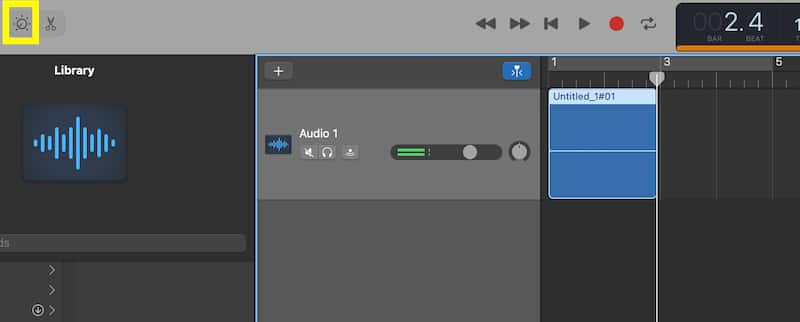
If a plugin doesn't appear in the Audio Units menu after installation, go to GarageBand → Preferences → Plug-ins and click "Rescan."
Transparent Correction vs. The T-Pain Effect: Settings Guide
The retune speed (sometimes called "speed knob") is the single most important control in any pitch correction plugin. Here's how to dial in the effect you're after:
Invisible/transparent tuning: Retune speed at 50-100ms (slow). The plugin eases pitch toward the target note gradually, preserving natural vocal expression. The listener can't tell pitch correction is on. Standard setting for pop, country, and R&B vocals.
Subtle correction with character: Retune speed around 20-40ms. Slightly audible — pitch snaps a bit faster than natural — but still musical. This is probably the most common setting in modern commercial music.
T-Pain / hard-tune effect: Retune speed at 0ms (instant). The plugin snaps immediately to the nearest note in your scale. Make sure your key and scale are set correctly or it will sound out of tune rather than stylistic.
Formant tip: When shifting pitch by more than a few semitones, keep formant correction enabled to avoid the chipmunk effect. Most plugins link formant to pitch automatically — only adjust it manually if you want an intentionally unnatural timbre.
FAQ
What is the best free AutoTune plugin for GarageBand?
Graillon 2 by Auburn Sounds is the best free option — it's AU-compatible, has a straightforward interface, and the free version includes pitch snap and pitch shift. MAutoPitch by MeldaProduction is another strong free alternative with solid key/scale handling.
Does GarageBand have built-in AutoTune?
Yes. GarageBand includes basic pitch correction in the Smart Controls panel (press B, then select the Track tab). It has a single correction amount slider and key/scale selection. It works for subtle correction but lacks retune speed control, graph editing, and any creative effect options. For those, you need a dedicated AU plugin.
How do I get the T-Pain effect in GarageBand?
Install a pitch correction plugin like Antares Auto-Tune and set the retune speed to 0ms (the fastest/lowest setting). Set the correct key and scale for your song. The plugin will instantly snap your voice to the nearest note, creating the hard-tuned robotic effect. Singing in a consistent key without large pitch deviations gives the cleanest result.
Does AutoTune work on live vocals in GarageBand?
Yes, if you use a plugin that supports Auto Mode (real-time processing). Antares Auto-Tune Pro X, Waves Tune Realtime, and Auto-Tune Artist all process audio in real time, so you can monitor the corrected vocal through headphones while recording. Reduce GarageBand's buffer size (Preferences → Audio) during tracking to minimize latency.
Is Melodyne or Auto-Tune better for GarageBand?
They serve different workflows. Auto-Tune is better for real-time monitoring during recording and creative T-Pain effects. Melodyne is better for fixing a recorded performance note-by-note with surgical precision. Many producers use both: Auto-Tune during tracking, Melodyne in the mix for detailed cleanup.
Do these AutoTune plugins work on Apple Silicon (M1/M2/M3)?
Yes. Antares Auto-Tune Pro X, iZotope Nectar 4, Waves Tune Realtime, Melodyne 5, and Revoice Pro 5 all have native Apple Silicon builds. Install via their AU installers and they run natively without Rosetta. If you're on an older plugin version, check the manufacturer's website for an updated installer.
Turn Your GarageBand Productions Into Passive Income
Once your vocals are polished, the next step is getting your music licensed. The free 5-Day Music Licensing Crash Course shows you the complete system for earning passive income with your GarageBand tracks on platforms like Pond5, Musicbed, and AudioJungle.
Get the Free Crash Course →Vocal tracks — pop, cinematic, lo-fi — are in consistent demand on stock music platforms. If you're producing finished tracks in GarageBand and not yet licensing them, read the complete guide to making money licensing stock music to see how your productions can start earning passive income on Pond5 and AudioJungle.
From a Frustrated Producer in a Ragtag Bedroom Studio to Major Placements on TV Earning $1,000s!
My name is Evan, and I've been making music since around 3rd grade. I'm from San Diego, California, but I've lived in Washington, DC for the last 20 years.
While I still have a full-time day job, I have created systems that have allowed me to produce dozens of songs a year in my spare time.
My songs have been on Netflix, TV shows like the 90 Day Fiance, an award-winning indie film, and NPR’s “All Thing Considered.” They've also been streamed millions of times.
In addition to being a music producer, I am passionate about teaching people how they can make professional-sounding music and earn money licensing it, all in their spare time.
Thousands of musicians, like yourself, have trusted me to guide their musical journey. My YouTube videos have been watched nearly a million times. And my story has been in Forbes, Side Hustle Nation, and the Side Hustle School.


EQ is the most essential tool you have for making music sound clean, clear, and professional. In this book you'll learn how to use the R.O.S.E. System, a simple 4-step EQ formula to help you master the world of EQ
